
7 Presentation Mistakes That Can Ruin Your Conference Presentation
Sep 29, 2026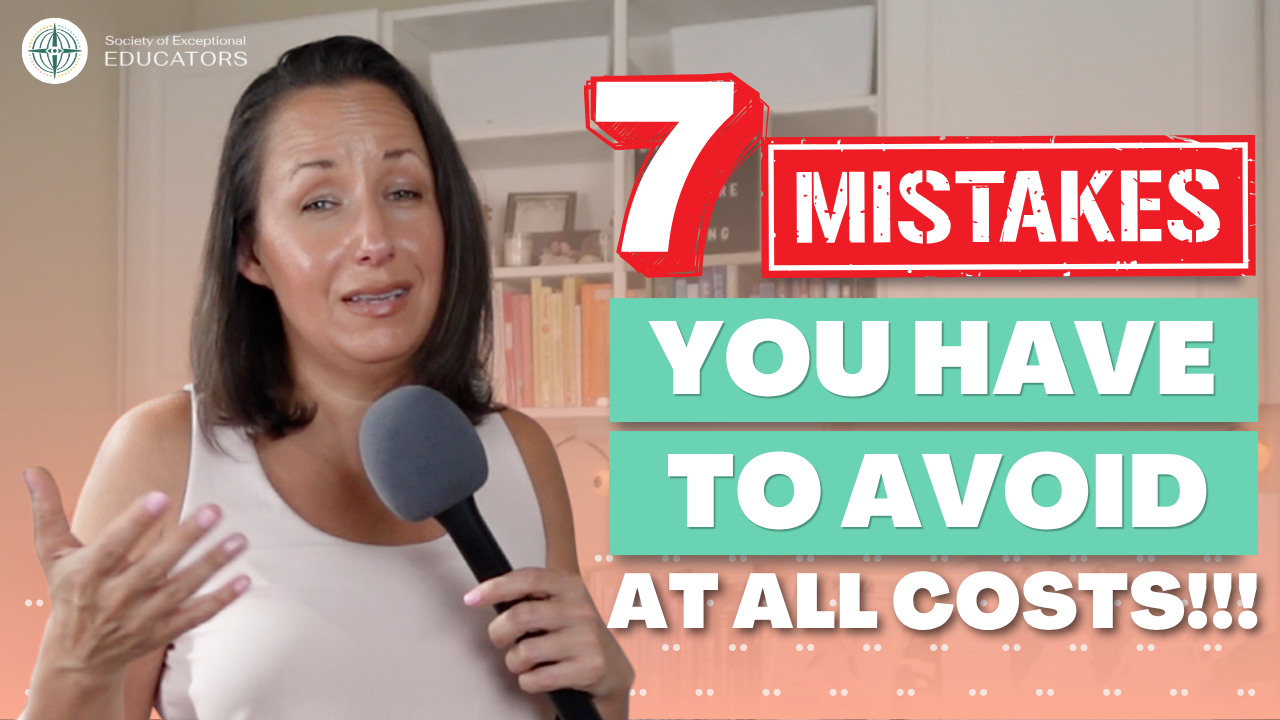
Watch the YouTube Episode for this Blog
Giving a conference presentation can be exciting, especially when you have information that can help other educators and service providers. But even experienced presenters can run into problems that affect the flow, engagement, and overall experience of a presentation.
For Teachers of Students with Visual Impairments (TVIs), Orientation and Mobility (O&M) Specialists, and other educators, strong presentation skills can make it easier to share knowledge with colleagues and contribute to professional learning.
I’ve spent more than a decade presenting and have helped host more than 100 online presentations through the Society of Exceptional Educators. I’ve also worked as an Orientation and Mobility Specialist for approximately 20 years. Along the way, I’ve seen—and personally experienced—many of the things that can go wrong during a presentation.
In this blogpost, I’m sharing seven common presentation mistakes and practical ways you can prepare for them.
1. Failing to Prepare for Technical Problems
One of the most stressful presentation problems can happen before you even begin speaking: your technology does not work.
You may arrive early, have your presentation prepared, and feel ready to begin, only to discover that your laptop cannot connect to the equipment provided by the conference venue. The cable you brought may not fit, the venue may use a different connection, or you may discover that you need an adapter you did not bring.
The key is to prepare for the equipment you might encounter rather than assuming the setup will be the same everywhere.
Before your conference presentation, find out what equipment the venue uses. Ask what type of connection you will need and what you should bring with you.
I personally recommend having an HDMI adapter and your own HDMI cable available, along with the appropriate connection for your computer. I’ve learned that you cannot always assume a conference venue will have exactly what your computer needs.
This is particularly important when you present at different conferences or use different computers. Your usual setup may work perfectly at home but may not work with the equipment available at the event.
Create a Presentation Tech Checklist
Before leaving for your presentation, check that you have:
- Your laptop and charger
- The appropriate adapters
- An HDMI cable
- Any necessary USB or other connectors
- A presentation clicker, if you use one
- Your presentation files
- A way to access your presentation without internet
A simple technology checklist can prevent a small equipment problem from becoming a major presentation problem.
2. Relying on Only One Copy of Your Presentation
Technical preparation also includes having multiple backups of your presentation.
I learned this lesson the hard way during a two-day presentation when my Google Slides presentation was deleted.
At the time, I didn’t have a PowerPoint copy, an emailed copy, or a flash drive with the presentation available as an immediate backup. Thankfully, we were eventually able to recover it, but that experience showed me just how quickly something you spent hours preparing can suddenly become inaccessible.
Now, I recommend assuming that something can go wrong with your file, device, connection, or internet access.
Keep several versions of your presentation in different places. You might:
- Email the presentation to yourself
- Save an offline PowerPoint copy
- Store a copy on a flash drive
- Send a copy to the presentation coordinator
- Keep a printed outline of your presentation
I also like the idea of having a printed outline available. If your computer completely stops working, you may lose your slides, but you can still refer to your main points and continue teaching.
3. Not Creating Opportunities for Audience Engagement
A presentation can contain excellent information and still lose the audience if participants have no opportunity to interact with the content.
Audience engagement can be simple. You do not need complicated activities, extensive videos, or elaborate technology.
One thing I like to do is ask questions and then actually give people enough time to think before expecting an answer.
That pause can feel much longer to you as the presenter than it does to the audience, but participants need time to process the question.
I also like finding ways to use participants’ responses during the presentation. For example, if people are responding in the chat during an online presentation, their ideas can become part of the conversation rather than the presentation being completely one-directional.
For TVIs and O&Ms, this can be especially useful because many professional development topics involve practical experiences, problem-solving, and discussion.
Consider asking:
- “How have you handled this situation with a student?”
- “What would you do in this situation?”
- “What challenges have you experienced?”
- “What strategies have worked for you?”
You can also ask participants to respond in the chat, discuss a question with someone nearby, or briefly reflect before continuing.
The goal is to give participants a reason to actively process the information you are presenting.
4. Overlooking Visual Appeal in Your Presentation
Your presentation slides are part of the learning experience.
I’ve sat through presentations where nearly every slide was black text on a white background with very few images or visual examples. Even when the information itself is valuable, that format can make it much harder to stay engaged.
I encourage presenters to think about how visuals can help communicate what they are teaching.
That does not mean every presentation needs elaborate graphics or complicated animations.
Instead, ask yourself whether your slides are helping your audience understand the information more easily.
Use:
- Relevant images
- Simple layouts
- Clear headings
- Appropriate font sizes
- Visual examples
- Diagrams when they clarify an idea
- Consistent formatting
Tools such as Canva, Google Slides, and PowerPoint provide templates that can help you create more visually appealing slides.
For educators working with students who have visual impairments, accessibility also needs to remain part of the conversation. When preparing your materials, consider contrast, font size, readable layouts, image descriptions, and whether important information is being communicated through visuals alone.
A visually appealing presentation should still make the information easy to follow.
5. Underestimating Online Presenting and Presentation Pacing
Online presenting requires preparation beyond knowing your subject.
If you are presenting through Zoom, Google Meet, or another online platform, you should know how to enter the meeting room, access the necessary controls, share your screen, and navigate the platform you will use.
We once had a presenter who was unable to access the online presentation room. Unfortunately, it reached the point where we had to close the presentation at the last minute.
That experience reinforced something I strongly recommend: practice using the online meeting platforms before your presentation.
Do not wait until the day of your session to figure out how to enter the room, share your slides, or use the controls.
Pacing is another common challenge.
It is very easy to include too much information, underestimate how long your topic will take, or spend too much time on your opening sections. When that happens, you may suddenly realize you have very little time left for the end of your presentation.
One strategy I use is practicing the presentation in five- to ten-minute sections.
I mark where I should be at certain points during the presentation. That gives me a much better sense of whether I’m moving too quickly or spending too much time on one section.
And make sure you practice the entire presentation including the ending.
Sometimes we rehearse the beginning over and over because that is where we feel the most nervous, but you also need to know how long the complete presentation will take.
6. Overextending Your Energy Before Presenting
Presentation confidence also involves understanding your own energy.
I’m an introvert, so I know that conferences can take a lot of energy out of me. There may be dinners, networking opportunities, conference sessions, conversations in the hallway, and other social activities happening before I even get to my own presentation.
Over time, I’ve learned that I need to be intentional about what I do before I present.
Sometimes that means I don’t attend every dinner or every activity. I may need time to go back to my room, practice, rest, and make sure I have enough energy left when it is actually time for me to present.
You do not have to attend every dinner, session, or social event before your presentation either.
If you know that certain activities leave you exhausted, consider creating space to rest, practice, and prepare instead.
This can be especially useful during multi-day conferences. Your presentation is one of the responsibilities you need to prepare for, so managing your schedule can help you arrive with the energy you need.
Energy management will look different for every presenter. The important part is knowing what helps you feel prepared and making room for it.
7. Giving Away Your Confidence and Not Owning the Room
The final presentation mistake involves confidence, leadership, and owning the room.
Even after years of presenting, I still get nervous.
One of the things I notice about myself when I’m nervous is that I start talking faster. Sometimes I have to consciously stop, pause, breathe, and ground myself before continuing.
Feeling nervous does not automatically mean you are unprepared or that you should not be presenting.
Another thing I’ve learned is that you cannot judge the success of your presentation by whether every single person in the room appears completely engaged every second.
I try to remind myself that if one person walks away having learned something useful, then the presentation mattered.
That mindset removes some of the pressure we put on ourselves as presenters.
You are the person who was invited to share your knowledge. You know your topic, you prepared for the presentation, and you have something that can be useful to your audience.
If someone looks distracted, checks their phone, or leaves the room, try not to immediately assume that it means something about you or your presentation.
They may need to use the restroom. They may have another appointment. They may have received an important message. You simply do not know.
Focus on the people who are there to learn and on communicating what you came there to share.
Building Stronger Presentation Skills
Good conference presentations require preparation, communication, and practice.
For TVIs, O&Ms, and other educators, presenting can also be an important part of professional leadership. Your experience working with students, families, and other professionals gives you knowledge that can benefit your broader community.
Start by preparing for the practical issues.
Check the technology. Bring adapters. Create multiple backups. Practice your online presentation platform.
Then focus on the experience of your audience by improving engagement, visual appeal, and pacing.
Finally, give yourself enough space to manage your energy and build confidence before you present.
You do not need to deliver a perfect presentation.
You need to be prepared enough to handle problems, communicate your ideas clearly, and provide useful information to the people who came to learn from you.
Final Thoughts
Becoming a stronger conference presenter takes practice, preparation, and experience.
I’ve presented for years, and technical problems, nerves, pacing issues, and unexpected situations still happen. The difference is that experience has taught me how to prepare for more of them and how to respond when something does not go according to plan.
The goal is to prepare for the things you can control.
Bring the right equipment. Keep multiple backups. Practice your presentation and its timing. Learn the technology you will use. Give your audience opportunities to participate. Design slides that support your message. Manage your energy before you present.
And when it is finally time to stand in front of the room, or turn on your camera, remember that you have valuable knowledge to share.
For TVIs, O&Ms, and other educators, your experience can become a valuable professional development resource for others. With stronger presentation skills and thoughtful preparation, you can share that knowledge with greater confidence and help your audience take something useful back to their own work.
Frequently Asked Questions About Conference Presentation Skills
How can I prepare for a conference presentation?
Start by practicing your entire presentation, checking the technology requirements, preparing multiple copies of your presentation, and creating a simple outline you can use if your technology fails.
How can I improve audience engagement during a presentation?
Ask questions, give participants time to think, invite responses, and incorporate their contributions when appropriate. Audience engagement does not always require complicated activities or technology.
How can I improve my presentation pacing?
Practice your presentation several times and mark where you should be at different points. Five- to ten-minute intervals can help you identify sections that need to be shortened or expanded.
What should I bring to a conference presentation?
Consider bringing your laptop and charger, the necessary adapters and cables, a backup copy of your presentation, an offline copy, and a printed outline. The specific equipment you need will depend on the venue and your presentation setup.
How can introverts conserve energy before presenting?
Plan your conference schedule around your presentation. If social events or a busy schedule leave you drained, consider setting aside time to rest and practice before your presentation.
Keep Learning With SEE
Want more resources, professional development opportunities, and support for your work? Join the Society of Exceptional Educators for free and stay connected to a community created for TVIs, O&Ms, and exceptional educators.
Join SEE for free and start exploring what’s available to you.
Like this? You might find these related articles interesting:
- How to Become a Conference Presenter: Presentation Tips for TVIs & Orientation and Mobility Specialists
- Professional Development for Orientation and Mobility Specialists
- 4 Tips to Master Your Online Presentation
Topics Covered: presentation skills, presentation tips, public speaking, conference presentation, presentation mistakes, presentation design, audience engagement, presentation confidence, presentation delivery, presentation preparation, conference presentation tips, teacher presentation skills, presentation skills for teachers, professional development, special education, TVI, orientation and mobility
